- A smartphone, tablet or computer
- Wi-Fi, or a data plan
Official links
Who qualifies
Anyone with a smartphone, tablet or computer and internet. Both people need the same app (FaceTime can invite others by link).
What you get
Free voice and video calls and messages to almost any country.
After the free part
Free on Wi-Fi. On mobile data, calls use your data; roaming abroad can be expensive.
Pick an app you both have
- WhatsApp: free voice and video calls and messages on iPhone and Android, worldwide.
- FaceTime: free between Apple devices. Android and Windows users can join from a FaceTime link in Chrome or Edge.
- Google Meet: free video calls on any phone or computer with a Google Account. Free one-on-one calls can last up to 24 hours; calls with 3 or more people are limited to 60 minutes.
- Skype shut down on May 5, 2025. Microsoft points Skype users to the free version of Microsoft Teams.
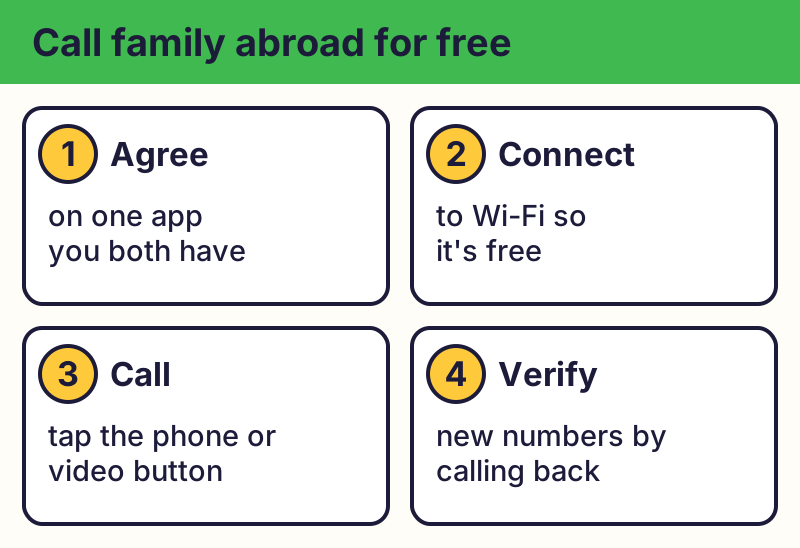
Use Wi-Fi to keep it free
These apps use the internet, not phone minutes. On Wi-Fi there's no charge from the app. On mobile data, calls use your data allowance, and roaming abroad can cost a lot.
Make the call
Open the app, pick the person and tap the phone or video button. In FaceTime, tap Create Link to invite someone without an Apple device.
Stay safe
⚠️ Careful: Scammers use these apps too. If a "relative" messages from a new number asking for money or gift cards, call them back on the number you know. Real free programs never ask for your card or bank details to give you something free, never pressure you with a countdown, and never come from a random text, pop-up or caller. Go to the official website yourself instead of tapping a link.
Compare at a glance
| App | Works on | Good to know |
|---|---|---|
| iPhone, Android, computer | Free worldwide over the internet | |
| FaceTime | Apple devices; others join by link | Create Link to invite |
| Google Meet | Any phone or browser | 1-on-1 up to 24 h; groups 60 min |
| Microsoft Teams (free) | Any phone or computer | Skype's replacement |
The real addresses are whatsapp.com, meet.google.com. Type it yourself or use the buttons above. Fake sites use names like whatsapp-gold-download.com, facetime-for-android.app (examples only, do not visit). A real free program never asks for your card or bank details to “unlock” it.
Skype shut down in May 2025. A "Skype" download today is out of date or fake.
Why we trust this: Call limits come from Google Meet Help and Microsoft's Skype retirement notice; app details from WhatsApp and Apple, checked October 2026.
Related game: Scam or Legit?. Related explainer: 5G vs. 4G vs. Wi-Fi calling: what's the difference? .