- Your phone or the account you signed up with
Official links
Who qualifies
Anyone signing up for a streaming, app or software trial.
What you get
Days or weeks of a paid service at no cost.
After the free part
The full price, charged automatically when the trial ends, unless you cancel first. Apple says cancel at least 24 hours before.
Read before you start
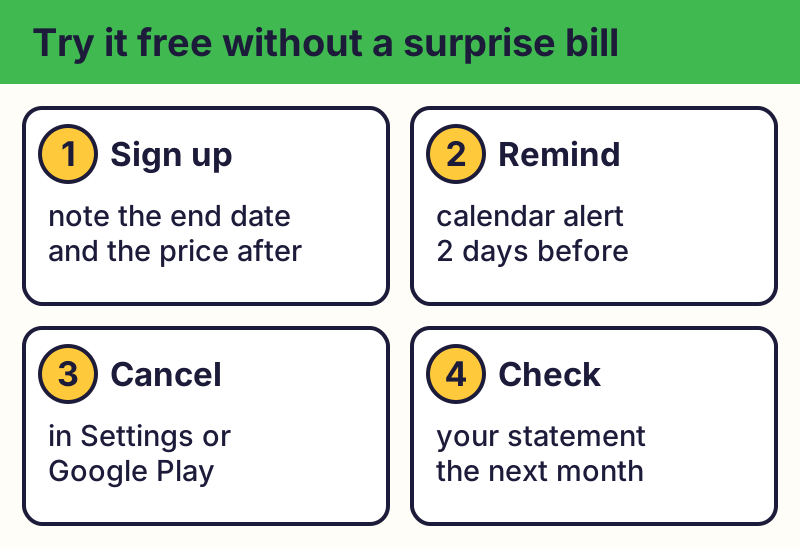
Check how long the trial lasts, what it costs after, and how to cancel. A trial from a known company may ask for a card; that means it will charge you unless you cancel.
⚠️ Careful: Never give card or bank details for a "free gift", prize or "just pay shipping" offer from an ad, text or caller. Real free programs never ask for your card or bank details to give you something free, never pressure you with a countdown, and never come from a random text, pop-up or caller. Go to the official website yourself instead of tapping a link.Set a reminder
Right after you sign up, set a calendar reminder two days before the trial ends. Apple says to cancel at least 24 hours before a trial ends.
Cancel on your phone
📱 iPhone / iPad: Settings > your name > Subscriptions > pick the subscription > Cancel Subscription.
🤖 Android: Google Play app > your profile picture > Payments & subscriptions > Subscriptions > pick it > Cancel subscription.
Deleting the app does not cancel a subscription. You usually keep access until the time you paid for runs out.
Check your statements
Look at your card statement each month for charges you don't recognize. If a company keeps charging after you cancelled, contact it, then dispute the charge with your card company.
A federal appeals court threw out the FTC's 2024 "click to cancel" rule in 2025, so canceling can still take more steps than signing up. Cancel early and keep the confirmation email.
The real addresses are apps.apple.com, play.google.com. Type it yourself or use the buttons above. Fake sites use names like cancel-my-subscription-help.com (examples only, do not visit). A real free program never asks for your card or bank details to “unlock” it.
Search results for "cancel subscription phone number" are a common scam. Cancel inside your phone's settings or the company's own app.
Why we trust this: Cancel steps come from Apple's and Google's own help pages; your rights from the FTC, checked October 2026.
Related game: Scam or Legit?. Related explainer: Payment app scams: Zelle, Venmo, Cash App and PayPal .