What you'll need
- A phone, tablet or computer
- Your Apple or Google account password (for parental approval)
- About 10 minutes
Pick from the trusted free options
Option Ages What it costs Khan Academy Kids 2–8 100% free, no ads or subscriptions (a nonprofit) PBS KIDS Games and PBS KIDS Video apps 2–8 Free from public TV, ad-free games pbskids.org 2–8 Free games and videos in a web browser Dolly Parton's Imagination Library Birth–5 One free book a month by mail, where a local program exists 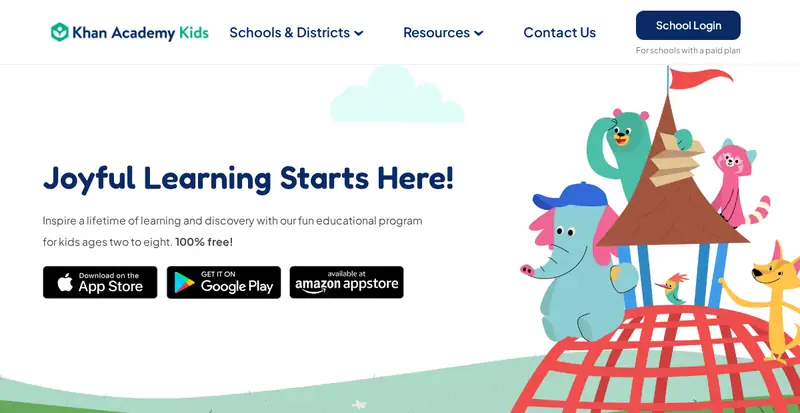
Khan Academy Kids says it's 100% free. Screenshot of the official page, October 2026. It may look a little different now. Install the real apps
- Open the App Store or Google Play and search for the app's exact name.
- Check the developer: Khan Academy for Khan Academy Kids, PBS KIDS for the PBS apps.
- The price should say Get or Install (free). Don't pick look-alikes with "Pro" or extra words.
Turn on purchase approval
Even free apps can show other paid apps. On iPhone, family organizers can turn on Ask to Buy. On Android, set purchase approval in Google Play so every download needs your OK.
Sign up for free books by mail
- Go to imaginationlibrary.com and choose Check availability.
- Enter your address. If there's a program in your area, register your child (birth to age 5). Books come addressed to your child each month, free, regardless of income.
- No program near you yet? Your public library still has free kids' e-books and story times.

The official Imagination Library site. Screenshot of the official page, October 2026. It may look a little different now. Skip the copycats
⚠️ Watch out: Look-alike "learning" apps often start free, then push weekly subscriptions or show lots of ads. If an app asks for a card for a "free trial", it isn't one of these. The real Imagination Library never charges families and never asks for payment details.
🎉 All done! Your child has trusted free learning on your device and maybe free books on the way. These stay free; there's no paid tier to upgrade to.
Related game: Safe or Risky?. Related explainer: AI, kids and homework: a plain-English guide for parents .