- Basic details about your household, income and age
- About 15 minutes
Official links
Who qualifies
Anyone in the U.S. The finder asks about your age, income, family, disability and military service.
What you get
A list of federal and state programs you may qualify for (food, health, housing, money, disability) with links to apply.
After the free part
Always free. Real government programs never charge a fee to find or apply.
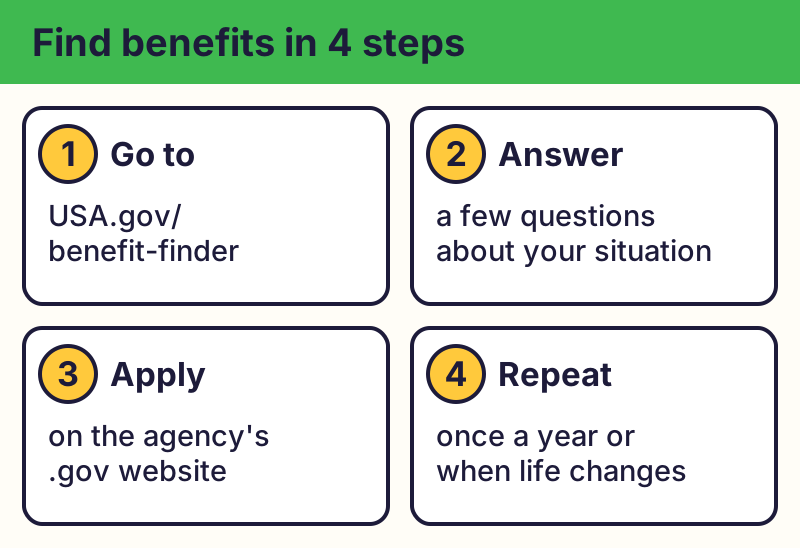
Go to the official finder
Type usa.gov/benefit-finder yourself. It's run by the U.S. government and is free. (It replaced the old Benefits.gov.)
Answer a few questions
Pick categories like food, health care, housing or disability, or answer questions about your situation. It lists programs you may qualify for and how to apply.
Apply on the official agency site
Follow the link to the agency that runs the program, such as SSA.gov or your state's website. Applying is free.
Check the web address
Real U.S. government websites end in .gov. Look for it before you enter personal details.
Spot fake benefit sites
⚠️ Careful: Fake "government grant" or "benefits" sites, ads, texts and calls ask for a fee, your card or bank details, or your Social Security number to "unlock" money. The government doesn't charge to find or apply for benefits. Real free programs never ask for your card or bank details to give you something free, never pressure you with a countdown, and never come from a random text, pop-up or caller. Go to the official website yourself instead of tapping a link.
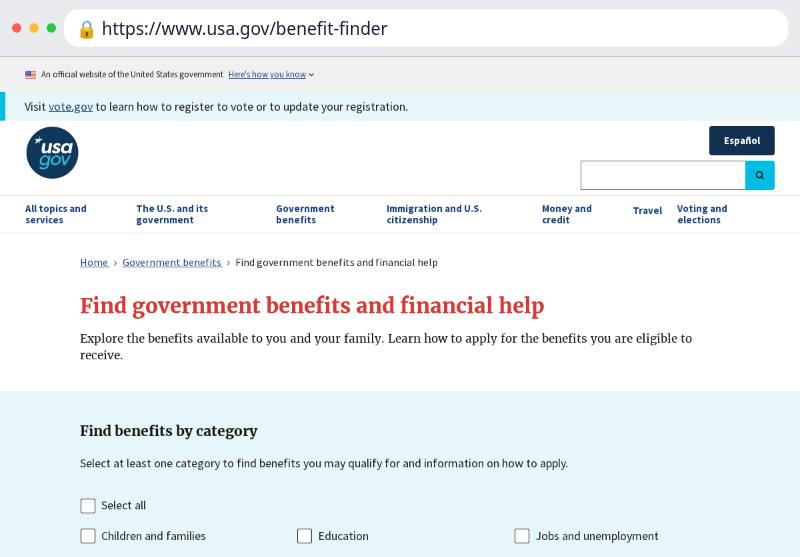
The real addresses are usa.gov, ssa.gov. Type it yourself or use the buttons above. Fake sites use names like usa-benefits-grant.com, ssa-gov.help (examples only, do not visit). A real free program never asks for your card or bank details to “unlock” it.
Benefits.gov closed; its finder moved to USA.gov. Calls or texts about a "government grant" that needs a fee are scams.
Why we trust this: Run by the U.S. government (USAGov). Program pages are the agencies' own .gov sites, checked October 2026.
Related game: Scam or Legit?. Related explainer: What is phishing, and how do I spot it? .